
On Page SEO CheckerDocumentation
On Page SEO Checker documentation
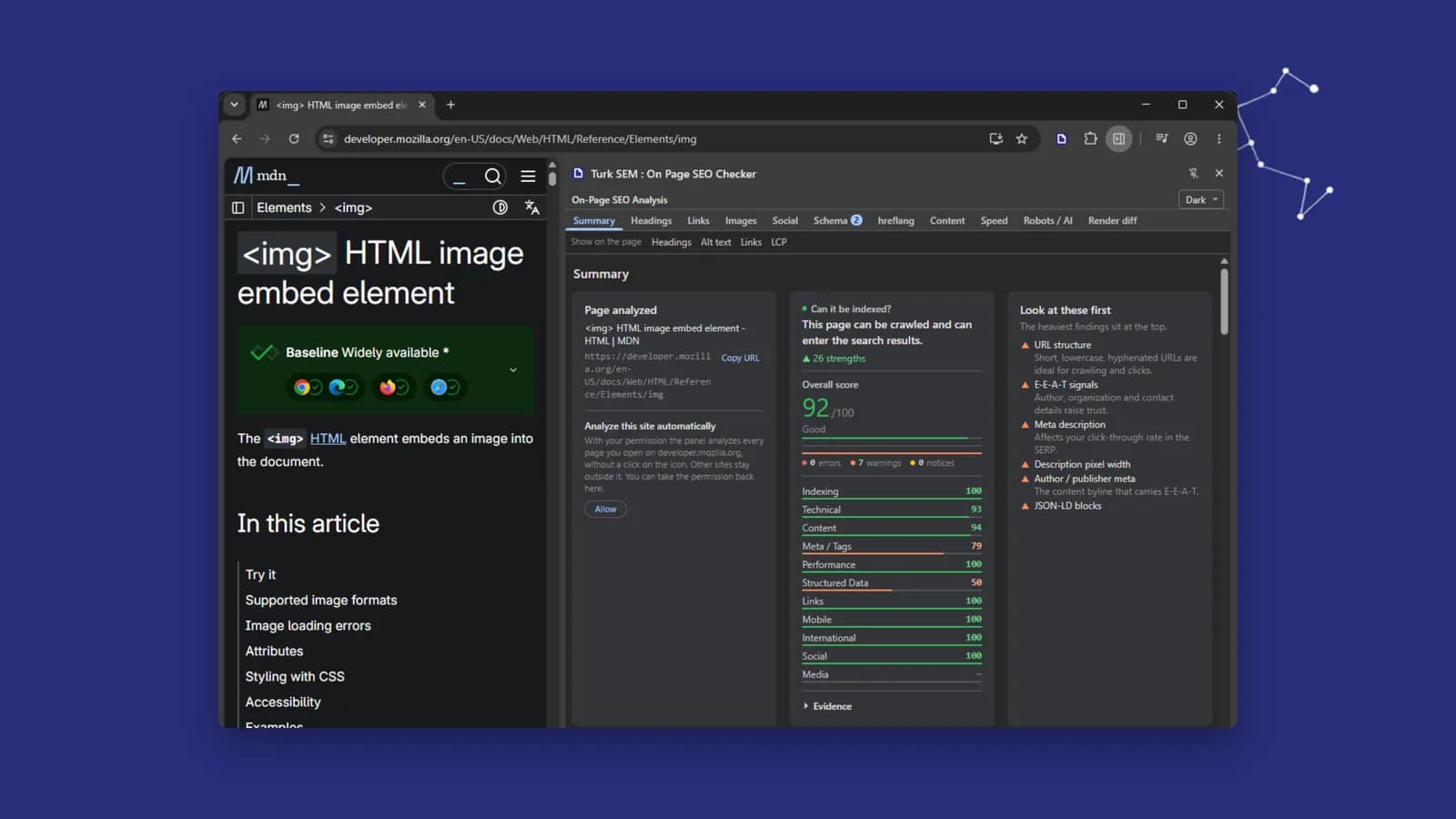
Turk SEM : On Page SEO Checker is a Chrome and Edge extension. You click the toolbar icon, a side panel opens next to the page, and 53 checks run on the page you are standing on. The analysis happens inside your browser. There is no account, nothing to sign in to, and no page data ever reaches our servers.
These seven pages cover the whole product: getting it installed, reading what the panel says, what every section measures, and what to do when a sentence on screen tells you something was refused. Each page also says where the extension stops, because a tool that hides its limits will be trusted for the wrong things.
The seven pages
- 01InstallThe store, the ZIP package and developer mode, pinning the icon, and what the first click does.
- 02Reading the panelThe identity card, the one-sentence verdict, the score bands, the tab rail and the band that reports a page change.
- 03The eleven sectionsWhat each of the eleven tabs measures, what its checks mean, and where each one stops.
- 04The AI reportWhat Copy for AI produces, why it splits findings in two, and how to hand it to Claude Code or Cursor.
- 05Marks on the pageThe four overlay modes, what each one draws, how to switch it off and how to prove nothing was left behind.
- 06Permissions and privacyThe four permissions, the optional per-site one, the four probes, and what is never transmitted or written to disk.
- 07TroubleshootingBlocked pages, refused probes, a lapsed grant, an empty INP row: what each sentence on screen means.
At a glance
- Browser
- Chrome or Edge 116 and newer
- Checks
- 53 analyzers
- Sections
- 11
- Permissions
- 4, plus one optional
- Account
- Not needed
- Network
- 4 requests, all to the analyzed site
- First open
- Dark
- Price
- Free
What it cannot see
Four limits are worth knowing before you read a result, and they are repeated on the pages where they matter:
- The page's HTTP status code. A HEAD request knows the status of its own request, not the one your tab downloaded, so the status stays unknown rather than being guessed.
- Anything at the other end of a link. No address that appears on the page is ever fetched, so nothing says whether a link resolves or whether the share image exists.
- Whether hreflang alternates point back. Only the codes on this page were read; reciprocity needs the other pages.
- What visitors experience. Speed is measured in your own tab, on your own device, in one session. That is not field data.