

If you want to follow what is happening around your site closely, “Google Alerts” is worth using. Let us set it up so Google tells us about our company’s activity out on the internet. Every organization we work with as Türksem SEO is on our list of references. You can add your own organization the same way and hear about developments across the web as we do.
What Is Google Alerts?
It keeps you from missing new and interesting content, and it tells you when something is published about your organization. The way it tells you is by email.
So How Do You Start Using Google Alerts?
- Visit Google Alerts.
- In the “Create an alert about…” box, enter the words you want email notifications about.
- Click Show options to set things like how often you get alerts and what kind of results you want.
- Click Create Alert.
- Once your alerts are set, you get an email every time we find a new search result for your keywords or your organization name.
You can also create an alert by clicking the + sign next to the suggested topics on the Google Alerts page.
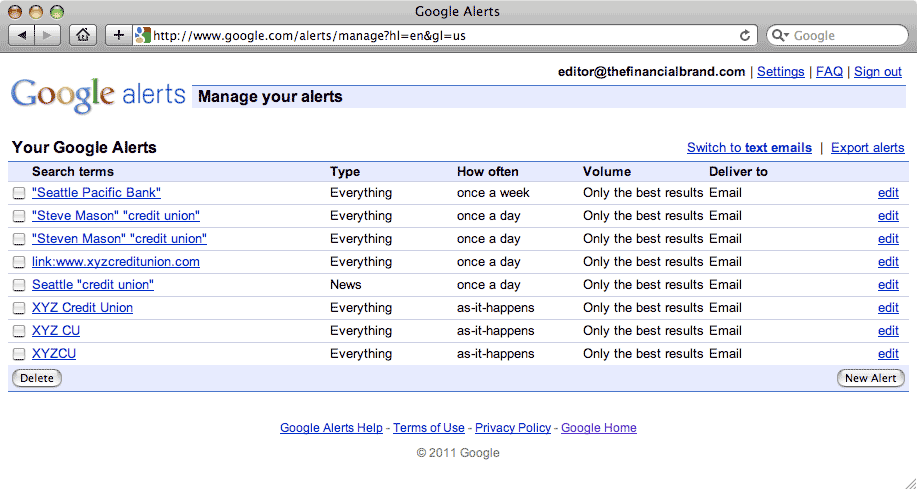
Once you are in, register “your organization name” as an alert. Whenever the name you registered appears on a website, a blog or a forum, a warning lands in your inbox. For anything current, click the Alerts help link and you can reach the help topics of the day.
Now follow the Google Alerts link to start using the Google alert service.
You can start running your own media center right now, for free.


