
01
Measure
Who crawled you, what they got back, what they could read, and who arrived from an AI service afterwards.
WordPress plugin
GEO SEO deals in evidence, not predictions. Every number in it comes from your own server.
Which crawler came, what your server returned to it, what it could actually read, who arrived afterwards. The plugin records all four. You change a rule, and it shows you what happened next.
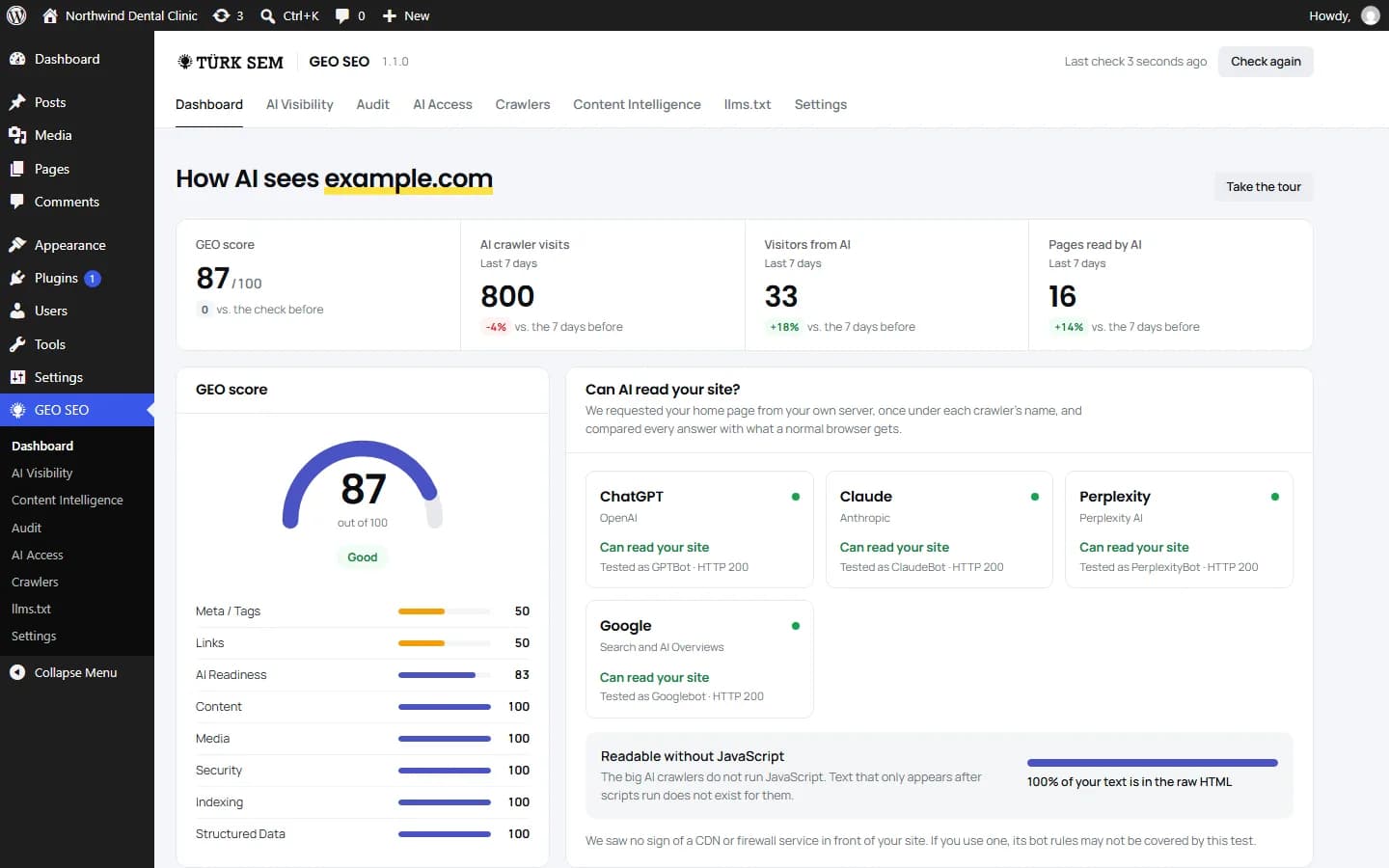
Every part of the plugin belongs to one of these four steps. The last one is the easiest to skip. You measure, you fix, and then nobody tells you whether anything changed; what you are left with is a dashboard full of numbers that produce no decisions.
01
Who crawled you, what they got back, what they could read, and who arrived from an AI service afterwards.
02
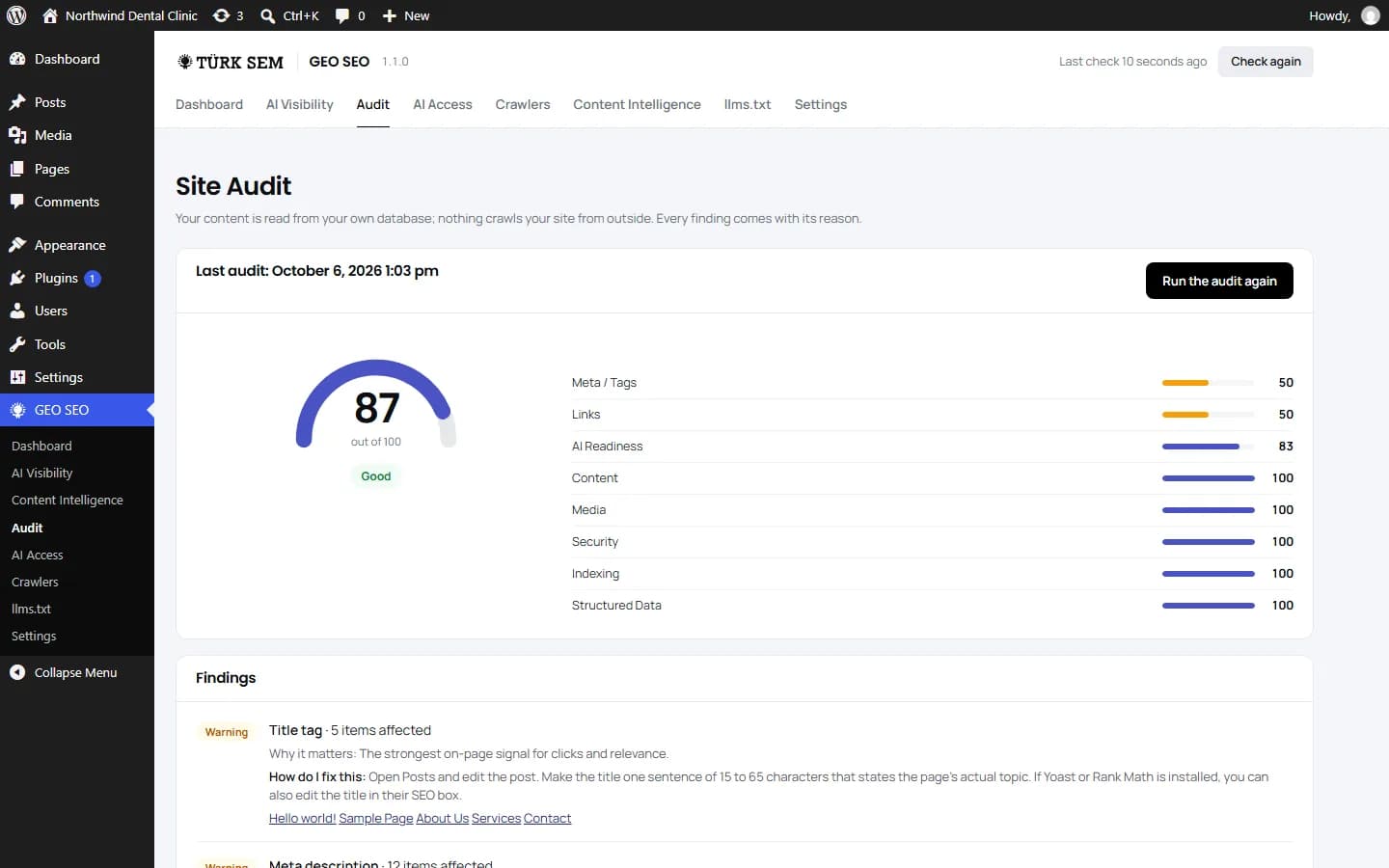
More than 90 checks over your own content and setup, each finding with a plain-language reason.
03
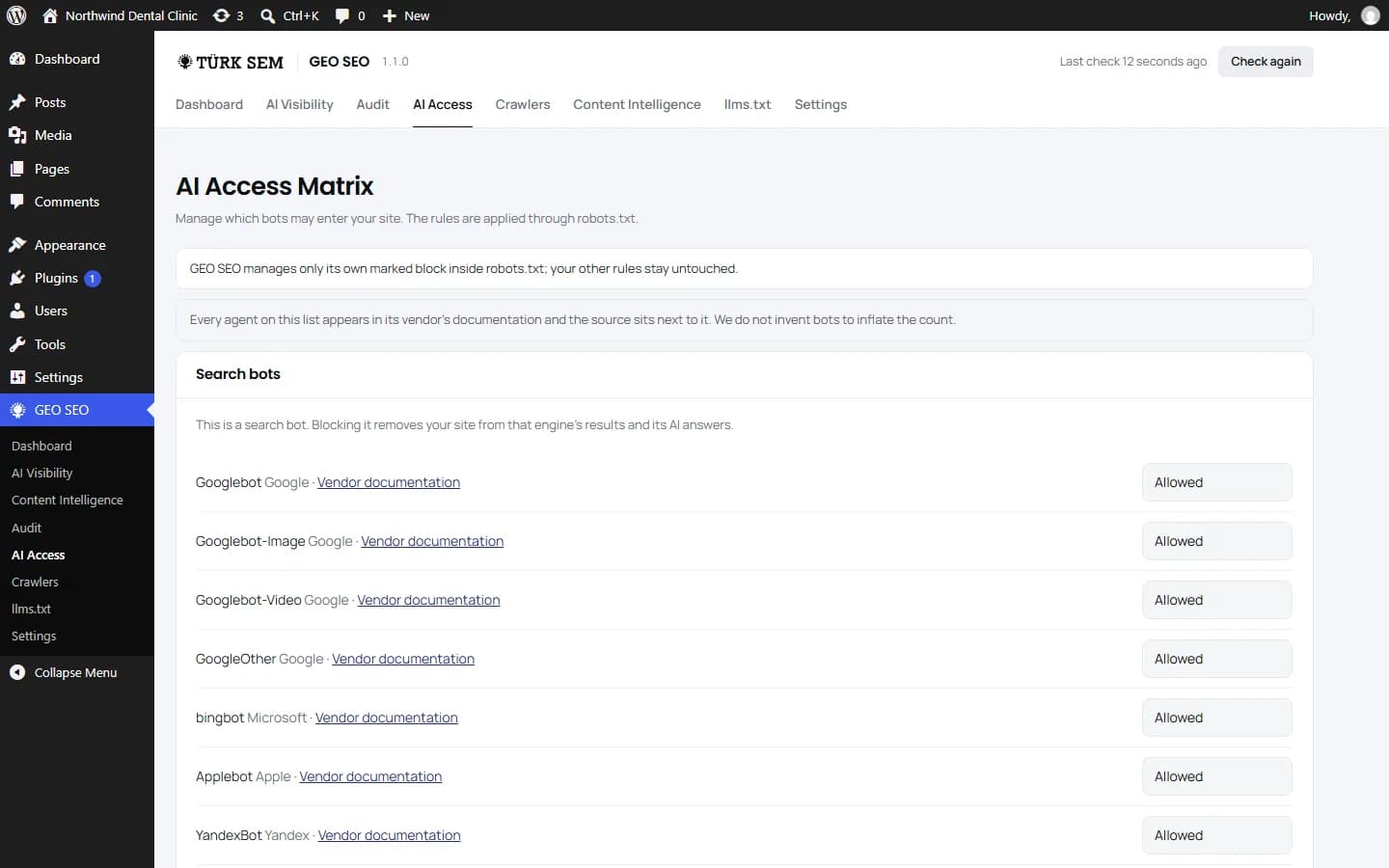
Access rules, llms.txt, IndexNow and complementary schema.
04
Every fix is timestamped into a change log, and a daily check tells you if an AI crawler loses access.
Step one
The plugin recognizes 1,500 crawlers. At the core are 37 AI crawlers, each named in the documentation of the company that runs it, with that document linked right beside it. The other 1,463 are SEO tools, search engines and monitors from an open, community-kept list. We do not pad either list with crawler names that do not exist.
Step two
The audit reads your content straight from the WordPress database and makes two requests to your own site. No external crawler, no quota, no account. Auditing a site with five hundred posts is exactly as free as auditing one with a single post.
Step three
Nothing here turns itself on. Each control is a decision you make, and the plugin tells you when a decision cannot do what you expect.
Step four
A number without a before and after cannot tell you whether the work was worth doing. This step is what closes that gap.
Connect your own AI provider key and have your posts reviewed through an E-E-A-T lens. E-E-A-T is the four-part shorthand Google uses when it describes content quality: experience, expertise, authoritativeness, trust. The plugin opens that into eight criteria: signs of first-hand experience, depth of expertise, author identity, sourcing, freshness, answer clarity, originality and trust signals.
Knowing what a tool cannot do is as useful as knowing what it can. These four limits are printed inside the plugin as well, on the screens where they actually matter.
By default, nothing. The crawler log and the audit run entirely inside your install, and the audit's requests go to your own site only. Three features send something out, each only once you have agreed to it. The fourth item below is just a link.
One more thing worth stating plainly: no IP address is ever written to the database. The AI crawler log stores the agent name, category, page, HTTP status and a one-way hash of the user agent string, and nothing else. For every other crawler, only its name, category, the day and the visit counts are kept.
You are probably reading a line that ends with +https://www.turksem.com/geoseo. That request came from Turksem GEO SEO, a WordPress plugin installed on the site being requested, and it was almost certainly triggered by the site's own administrator.
The plugin's access diagnosis fetches a page of your own site four times, each time identifying itself as a different AI crawler, and compares the answers. That is how it detects a security plugin or a server rule that quietly refuses those crawlers. The requests originate from your own server, they go only to your own site, and there are only a handful of them per run.
It is not a crawler of ours, it never visits sites that have not installed it, and there is nothing to block on your end. If you did not install the plugin yourself, ask whoever administers the site.
Three steps, and setup opens by itself after activation. One thing worth knowing before you start: the plugin's own interface is English in this version.
Tried it? Two minutes of feedback shapes the next version. Tell us what you think
Every version is listed here with its date, in the same order as the changelog on WordPress.org. Each entry separates what is new, what got better and what was fixed, so you can tell at a glance whether an update matters to you.
Recognizes 1,500 crawlers, lets you watch your own bot, and tells you when an AI crawler loses access.
If you are upgrading
Your data and settings stay. Email alerts stay off until you switch them on in Settings, and each administrator sees a three-step summary of what is new, once. If you had chosen on purpose to delete your data on uninstall, choose it again in Settings.
First release on WordPress.org.
We did not design GEO SEO at a desk. It came out of client work. Every check in it started as a question we kept running into on real sites: why is the crawler log empty, why does the AI see a different page than the visitor does, why did a fix change nothing. We are an agency, not a software company, and the plugin shows it: it measures, it explains, and it leaves the decision to you. The three pages below tell the longer story.
We built our first website in 1999 and have worked on thousands of sites since. The 90-plus checks in the audit are the list we walk through on every client site, written down and turned into code. The page explains how we work and why we turn down most SEO requests.
What is SEO?We started working on visibility in AI answers before the industry settled on a name for it, and we wrote the guide to what GEO is. The plugin covers the part of that work you can measure from your own server: which AI crawlers come, what they can read, and what changed after each fix.
What is GEO?AI optimization is the fourth service we offer, and it follows the same flow as our SEO methodology. The plugin gives you the measuring side of that work for free. The service page explains what we build on top of it.
What is AIO?